
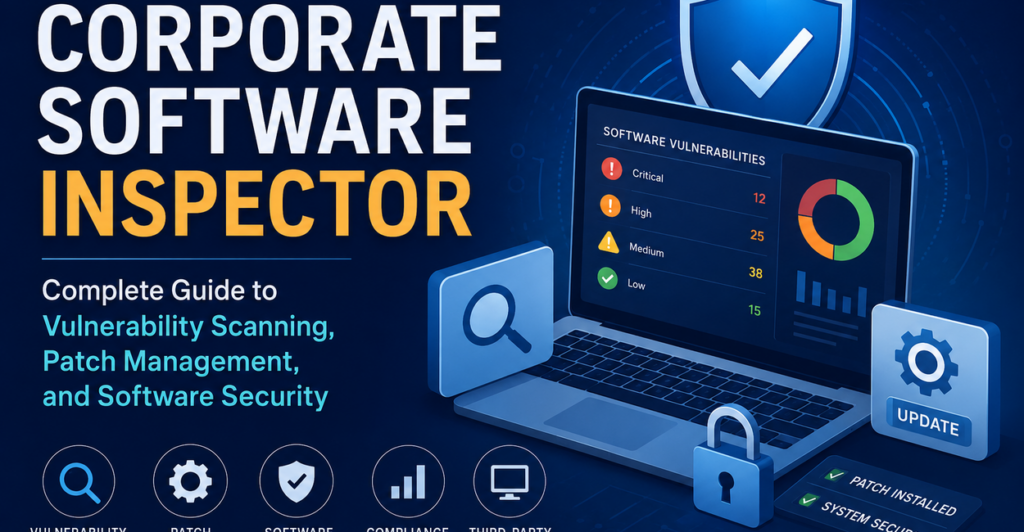
Modern businesses run on software. Every department depends on apps, tools, browsers, plugins, cloud platforms, file readers, communication software, and internal systems. That convenience also brings risk. When software becomes outdated, unsupported, or poorly patched, it can quietly turn into an entry point for attackers.
This is where Corporate Software Inspector becomes important. Many IT teams still search for this name when they are looking for a tool that can help with vulnerability scanning, patch management, software security, third-party patching, and compliance reporting. The name is older, but the search intent is still very relevant: businesses want to know how to find vulnerable software, prioritize security patches, and reduce risk across their corporate environment.
Flexera announced in 2018 that Corporate Software Inspector would be renamed Software Vulnerability Manager, because the product had expanded beyond simple software inspection into a broader vulnerability management solution.
Corporate Software Inspector
Corporate Software Inspector, often linked with Secunia CSI and later Flexera’s Software Vulnerability Manager, was designed to help organizations identify vulnerable applications across corporate devices. Instead of relying on manual checks or waiting for users to update their own software, IT teams could scan systems, detect outdated applications, and understand which software needed urgent attention.
In simple terms, Corporate Software Inspector helped answer three important questions:
- What software is installed across the company?
- Which applications are outdated or vulnerable?
- What patches are needed to reduce security risk?
For a business, these questions matter more than they may seem. A single unpatched application on one endpoint can expose the wider network. Attackers often look for known vulnerabilities because they are easier to exploit than unknown weaknesses. If a company has no clear view of its software inventory, it becomes much harder to protect its systems.
Today, users may see newer references to Flexera Software Vulnerability Manager instead of Corporate Software Inspector. Flexera describes its current Software Vulnerability Manager as a solution for identifying, prioritizing, and remediating software vulnerabilities, with a strong focus on third-party security updates and patch automation.
Why Software Vulnerability Management Matters
Many companies already have some kind of security setup. They may use antivirus tools, firewalls, endpoint protection, backup software, and access controls. These tools are useful, but they do not replace a proper software vulnerability management process.
The problem is that software changes constantly. Vendors release updates, security researchers find flaws, attackers develop exploits, and IT environments keep growing. A company may have hundreds or thousands of devices using different versions of browsers, PDF readers, compression tools, collaboration apps, development software, and business platforms.
Without proper vulnerability scanning, IT teams may not know which systems are exposed. Without proper patch management, they may know a vulnerability exists but fail to fix it quickly enough.
That delay is often called the risk window. It is the time between a vulnerability becoming known and the business applying the right patch. The longer that window stays open, the more opportunity attackers have.
A strong vulnerability management process helps companies:
- Build a clear software inventory
- Detect known security vulnerabilities
- Prioritize urgent risks
- Apply security patches faster
- Track remediation progress
- Support compliance reporting
- Reduce the chance of avoidable breaches
How Corporate Software Inspector Works
Corporate Software Inspector was built around a practical security workflow. It was not just about finding software. It was about connecting software discovery with vulnerability intelligence and patch action.
Software Inventory Scanning
The first step is visibility. Before an IT team can secure software, it must know what is installed. Corporate environments often grow messy over time. Employees install approved apps, departments use specialist tools, older machines keep legacy software, and remote workers may not always follow the same update process.
A software audit helps bring this information into one place. Corporate Software Inspector-style tools scan devices and identify installed applications and versions. This allows IT teams to see where outdated software exists and which endpoints may be affected.
A useful software inventory can show:
- Application names
- Installed versions
- Affected devices
- Missing patches
- Unsupported software
- Software that may violate internal policy
This gives the security team a real starting point. Instead of guessing, they can work from actual data.
Vulnerability Detection
Once the tool knows what software is installed, it can compare those versions against known vulnerability data. This is where vulnerability intelligence becomes important.
A basic software list only tells you what exists. Vulnerability intelligence tells you why something matters. It helps explain whether a specific version has a known security flaw, how severe that flaw may be, and whether a patch is available.
Flexera’s current documentation for Software Vulnerability Manager describes the product as combining vulnerability intelligence, vulnerability scanning, patch creation, and patch deployment tool integration to support targeted patch management.
This matters because not every outdated application carries the same level of risk. Some vulnerabilities are low priority. Others may be actively exploited or easy to attack remotely. Good vulnerability management helps IT teams focus on what needs action first.
Patch Status Checking
After vulnerabilities are identified, the next question is whether a fix is available. Corporate Software Inspector became useful because it connected vulnerability scanning with patch management. It helped IT teams understand not only that a problem existed, but also what needed to be patched.
For companies managing many endpoints, this is a major advantage. Manual patch tracking is slow and often incomplete. IT staff would have to check vendor websites, compare versions, test updates, and record progress. A centralized tool makes that process more consistent.
Key Features of Corporate Software Inspector
A tool like Corporate Software Inspector supports several important security functions inside a corporate environment.
Vulnerability Scanning Across Endpoints
The main feature is scanning corporate systems for vulnerable applications. This can include workstations, laptops, servers, and other managed devices depending on the environment and product setup.
This helps security teams understand where their biggest exposure exists. For example, if an outdated browser is installed on hundreds of machines, that may become a higher priority than a rarely used app on one test device.
Third-Party Patch Management
Many businesses are good at applying operating system updates, especially Windows updates. The bigger challenge is often third-party patching.
Third-party applications include tools such as:
- Web browsers
- PDF readers
- File compression apps
- Media players
- Remote access tools
- Communication platforms
- Developer utilities
- Business productivity software
These applications can be just as risky as operating system flaws. If they are not updated, attackers may use them as a way into the business environment. Corporate Software Inspector helped address this problem by focusing heavily on installed software and available security patches.
Patch Prioritization
A company cannot always patch everything at once. Some updates need testing. Some affect critical systems. Some may require user downtime. This is why patch prioritization is important.
A smart patch management process looks at:
- Vulnerability severity
- Number of affected devices
- Whether the software is internet-facing
- Whether exploit activity is known
- Business importance of affected systems
- Availability of tested patches
This keeps teams from wasting time on low-risk items while serious vulnerabilities remain open.
Reporting and Compliance Visibility
Security work needs proof. It is not enough to say patches are being handled. Managers, auditors, compliance teams, and clients may need evidence.
Corporate Software Inspector-style reporting can help show:
- Current vulnerability status
- Patch progress over time
- Systems still exposed
- Compliance with internal policies
- Risk trends across departments
- Remediation performance
Flexera’s current Software Vulnerability Manager page also highlights reporting for vulnerability status, remediation progress, trends, and compliance status.
Corporate Software Inspector and Patch Management
Patch management is often misunderstood. It is not simply installing updates whenever they appear. In a business setting, patching needs structure.
A good patch management workflow usually includes:
- Scanning systems for installed software
- Matching software versions with known vulnerabilities
- Checking whether patches are available
- Prioritizing risks based on severity and business impact
- Testing patches when needed
- Deploying updates through approved tools
- Confirming the vulnerability has been fixed
- Reporting progress to stakeholders
Corporate Software Inspector helped support this kind of workflow by giving IT teams visibility and direction. Instead of reacting only after a security incident, teams could work proactively.
This is especially useful in larger organizations where different teams may handle security, endpoint management, compliance, and software deployment. A shared view of software risk helps everyone work from the same information.
Corporate Software Inspector vs Traditional Vulnerability Scanners
Traditional vulnerability scanners are important, but they do not always solve the same problem. Many traditional scanners focus on networks, servers, ports, configurations, and infrastructure weaknesses. They are useful for finding exposed services, misconfigurations, and system-level risks.
Corporate Software Inspector had a more software-focused role. It looked closely at installed applications, patch status, and known software vulnerabilities. This made it valuable for businesses that wanted better control over application-level risk.
The two approaches can work together. A traditional scanner may show network exposure, while a software vulnerability management tool may show which applications need patching. Together, they give a fuller picture of enterprise security.
Corporate Software Inspector vs Software Vulnerability Manager
One of the most confusing things for users is the name change. People still search for Corporate Software Inspector, Secunia CSI, and Flexera Corporate Software Inspector, but Flexera moved the product naming toward Software Vulnerability Manager.
Flexera’s lifecycle documentation also refers to Software Vulnerability Manager 2018 On-Premises as “Formerly CSI,” and lists older Corporate Software Inspector on-premises versions separately.
The name change makes sense from a security perspective. “Inspector” sounds like a tool that only checks software. “Software Vulnerability Manager” better describes the full process: discover vulnerable software, understand the risk, prioritize patches, support remediation, and report progress.
For users researching current solutions, it may be better to search for terms such as:
- Flexera Software Vulnerability Manager
- Software Vulnerability Manager
- Flexera SVM
- Software vulnerability management tools
- Enterprise patch management software
- Third-party patch management solutions
Benefits for Enterprise Security Teams
The biggest benefit of Corporate Software Inspector is visibility. A company cannot protect software it does not know about. Once IT teams can see installed applications and related vulnerabilities, they can make better decisions.
Better Control Over Software Risk
Instead of relying on assumptions, teams can identify real weaknesses across their environment. This improves risk management because action is based on actual exposure.
Faster Security Response
When a serious vulnerability appears, time matters. A centralized vulnerability management tool helps teams quickly understand whether they are affected and which systems need patches.
Stronger Compliance Readiness
Many industries require businesses to show that they manage security risks properly. Reports from vulnerability scanning and patch management tools can support audits, policy reviews, and internal governance.
Less Dependence on Manual Tracking
Manual software tracking is easy to break. Spreadsheets become outdated, users skip updates, and IT teams lose visibility. Automated scanning and reporting reduce that burden.
Common Problems Corporate Software Inspector Helps Solve
Corporate environments often struggle with the same software security issues again and again.
One common problem is software sprawl. Different teams use different tools, and over time the business loses track of what is installed. This makes patching harder.
Another issue is delayed remediation. IT may know about a vulnerability, but testing, approval, deployment windows, and limited staff slow everything down. A clear patch workflow helps reduce that delay.
A third problem is weak reporting. Security teams may be doing good work, but if they cannot show progress clearly, leadership may not understand the value. Good reporting turns technical patch activity into business-level risk visibility.
Best Practices for Vulnerability Scanning and Patch Management
A tool is only useful when it supports a strong process. Businesses using Corporate Software Inspector, Software Vulnerability Manager, or similar tools should follow a few practical habits.
Keep the software inventory updated. Old inventory data creates false confidence. Scanning should happen regularly so teams can see new software, outdated versions, and newly exposed systems.
Prioritize based on real risk. Not every vulnerability needs the same response. Focus first on severe vulnerabilities, widely installed apps, internet-facing exposure, and software with known exploit activity.
Do not ignore third-party applications. Browsers, PDF tools, and collaboration software are common targets. They should be part of the regular patch cycle, not handled only when someone remembers.
Test patches for critical systems. Fast patching is important, but business-critical systems may need testing to avoid downtime or compatibility issues.
Track progress with clear reports. Reports help show what has been fixed, what remains open, and where teams need more support.
What to Look for in a Modern Alternative
A modern Corporate Software Inspector alternative should do more than produce a list of vulnerabilities. It should help the business move from detection to action.
Look for features such as:
- Accurate vulnerability intelligence
- Reliable software inventory scanning
- Strong third-party patching support
- Patch prioritization based on risk
- Integration with existing deployment tools
- Clear dashboards and reports
- Compliance-friendly documentation
- Support for multiple platforms
- Repeatable remediation workflows
- Useful alerts without overwhelming the team
The goal is not just to find problems. The goal is to reduce risk in a way the IT team can manage consistently.
Where Corporate Software Inspector Fits in a Security Strategy
Corporate Software Inspector should not be viewed as a complete cybersecurity solution by itself. It fits into a larger security program.
A complete strategy may include endpoint protection, network scanning, access control, backup planning, security awareness training, incident response, asset management, and compliance processes. Within that wider setup, Corporate Software Inspector plays a focused role: it helps close software security gaps before attackers can exploit them.
For businesses that still search for Corporate Software Inspector, the main lesson is clear. Software security cannot depend on guesswork. Companies need visibility into installed applications, reliable vulnerability scanning, organized patch management, and reporting that shows risk is actually being reduced.